


The industrial field is undergoing unprecedented changes, industrial robots are widely used in various industries, and the industrial change has led to the accelerated arrival of the era of “machines replacing humans”. In the process of applying industrial robots, robot teach pendant plays a unique role in controlling the robot to carry out the process of operation. Teachers to adjust the robot trajectory, grasping, action and a series of operations are related to the teaching instructions. So, when facing a robot teach pendant that seems to have complex functions, how should we operate it? The following is an introduction:
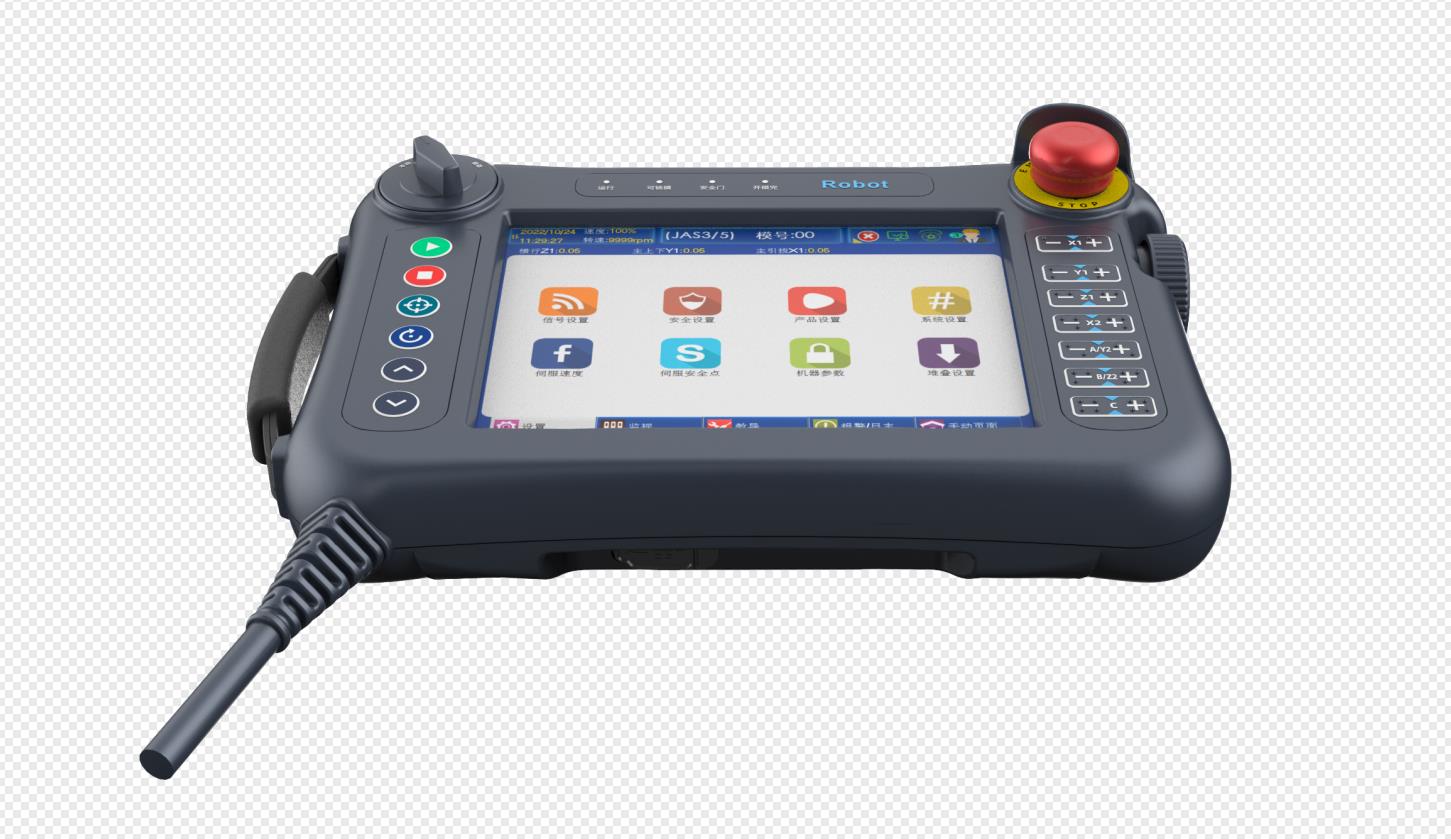
As can be seen from the appearance of the teach pendant, most of the teach pendants are composed of display + buttons, the display shows numbers, letters and command symbols, etc. The display interface is also known as the software interface, and different operation items are distributed under different categories.
To realize the basic operation of industrial robots, you need to be familiar with the operation interface, including the main menu area, status control area, coordinate area, status display area and submenu area. By touching the corresponding window or clicking the button to switch, switching different menu bar, the sub-menu bar will change correspondingly.
It looks like so many operation functions, is it very complicated? Actually not, let's say one by one:
(1) General display area
General display area, mainly used for program list, program editing, parameter modification, coordinate setting, process and other content settings. The general display area will be automatically compressed to half-width when the monitoring window is opened, and automatically expanded to full-width when the monitoring window is closed.
(2) Monitoring area
The monitoring area is mainly used to display coordinate data, time data, motor data, I/O port data, PLC internal relay, timer, counter data status, bus information, hardware information, software information, reservation status, programming variable status data, and other information. The monitor area can be turned off, and when it is turned on, it is displayed on the right side of the general-purpose display area. When the general-purpose output port and PLC auxiliary relay are displayed in the monitoring area, the status switching icon will be displayed in the status control area, and you can use this icon to switch the Y×× or M×× state where the current cursor is located.
(3) Information Alert Area
The information prompt area is mainly used to display: the latest operation, the system performs the action, the occurrence of the alarm and other log information. In the event of an unidentified system failure, you can use the handwheel to rotate up and down in this tip area to view the information and trace the cause.
(4) Main Menu Area
The main menu area generally includes: file operation, program editing, parameter setting, monitoring, operation preparation, programming instructions, user process, PLC a total of eight main menus.
(5) state control area
This area is mainly used for switching and display: manual control, coordinate system, output port set reset, auxiliary relay set reset and so on.
(6) Coordinate area
This area is mainly used for performing actions corresponding to the display contents (joints, lines, and poses) by pressing the coordinate key when in the demonstration mode.
(7) Status display area
The status display area mainly displays the current working status, such as the logged-in user, robot motion status, working mode, running speed, tool coordinate number, user coordinate number, current time, and cooperative status.
(8) Sub-menu area
This area displays different contents according to the current activation interface, and the corresponding operations can be executed using the corresponding keys.
The robot teach pendant can realize the manual control, program writing, parameter setting and other functions of the robot, and it is not complicated to get started, as long as you master the functional commands, software operation, and then test the robot directly for a few times to become familiar with it. The robot can be perfectly utilized for various tasks with the use of the teach pendant.